A free Discord alternative: the layout you know, more of it free
Zpod is a free voice chat and streaming app with the channels, voice rooms and friends list you're used to from Discord. The difference: 1080p 60 FPS streaming, which needs Nitro on Discord, is free on Zpod; you can make your stream public with a link and send it to YouTube at the same time; and you don't need a VPN to connect.
Not on Windows? Open Zpod in your browser — nothing to install.
- 1080p 60 FPS, no Nitro
- No VPN needed
- Viewers install nothing
- No ads, no subscription
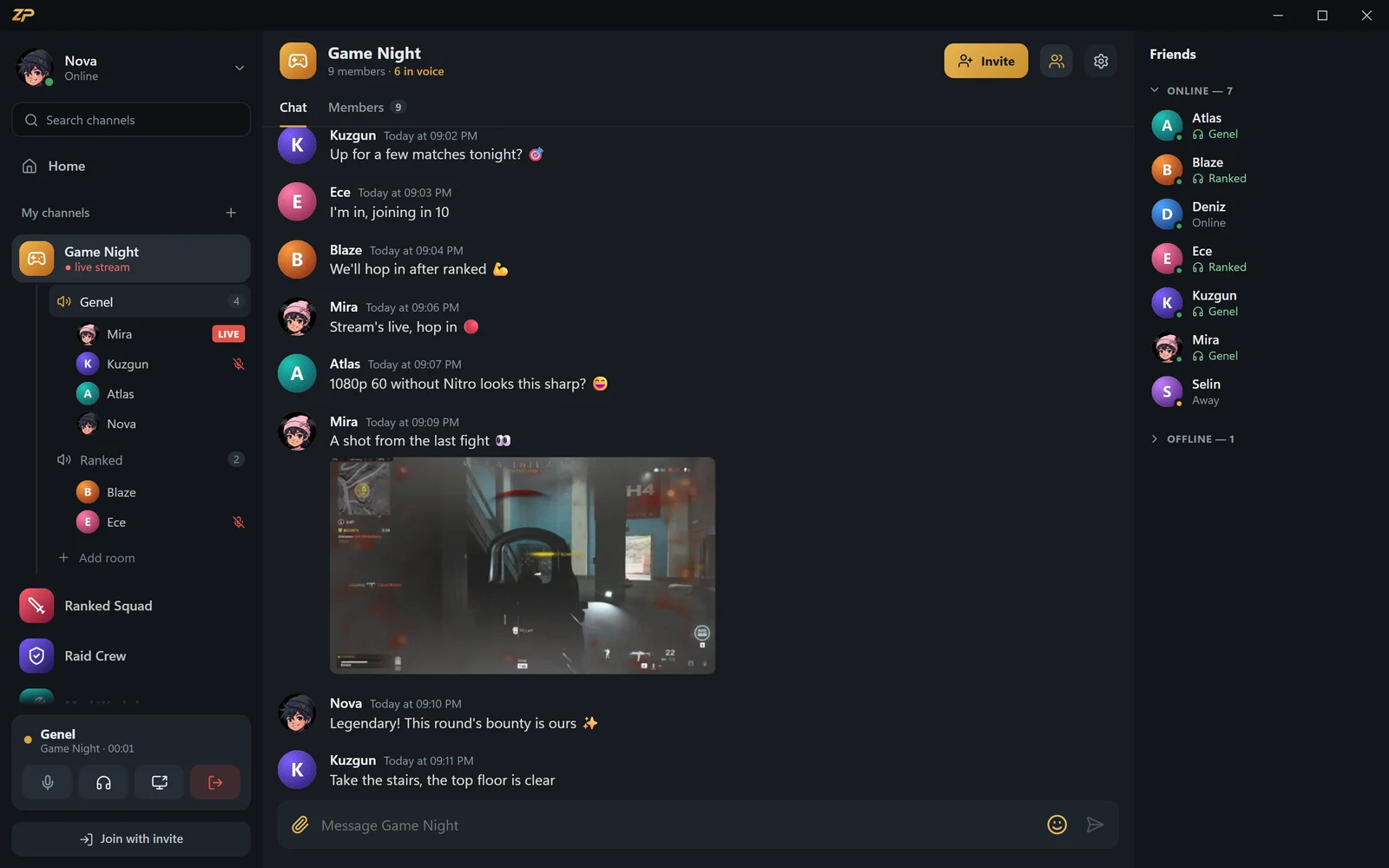
Everything you know from Discord
Start your own channel and invite friends with a code. Share emoji, images, GIFs and files in text chat, and join voice rooms with a single click.
Your friends list shows who's online, which voice room they're in and what game they're playing. Appear offline whenever you'd rather not be seen.
- Channels, invite codes and unlimited voice rooms
- Emoji, images, GIFs and files in text chat
- Owner and admin roles; pull someone into a room or remove them
- Friends, online status, now playing and appear offline
Paid on Discord, free on Zpod
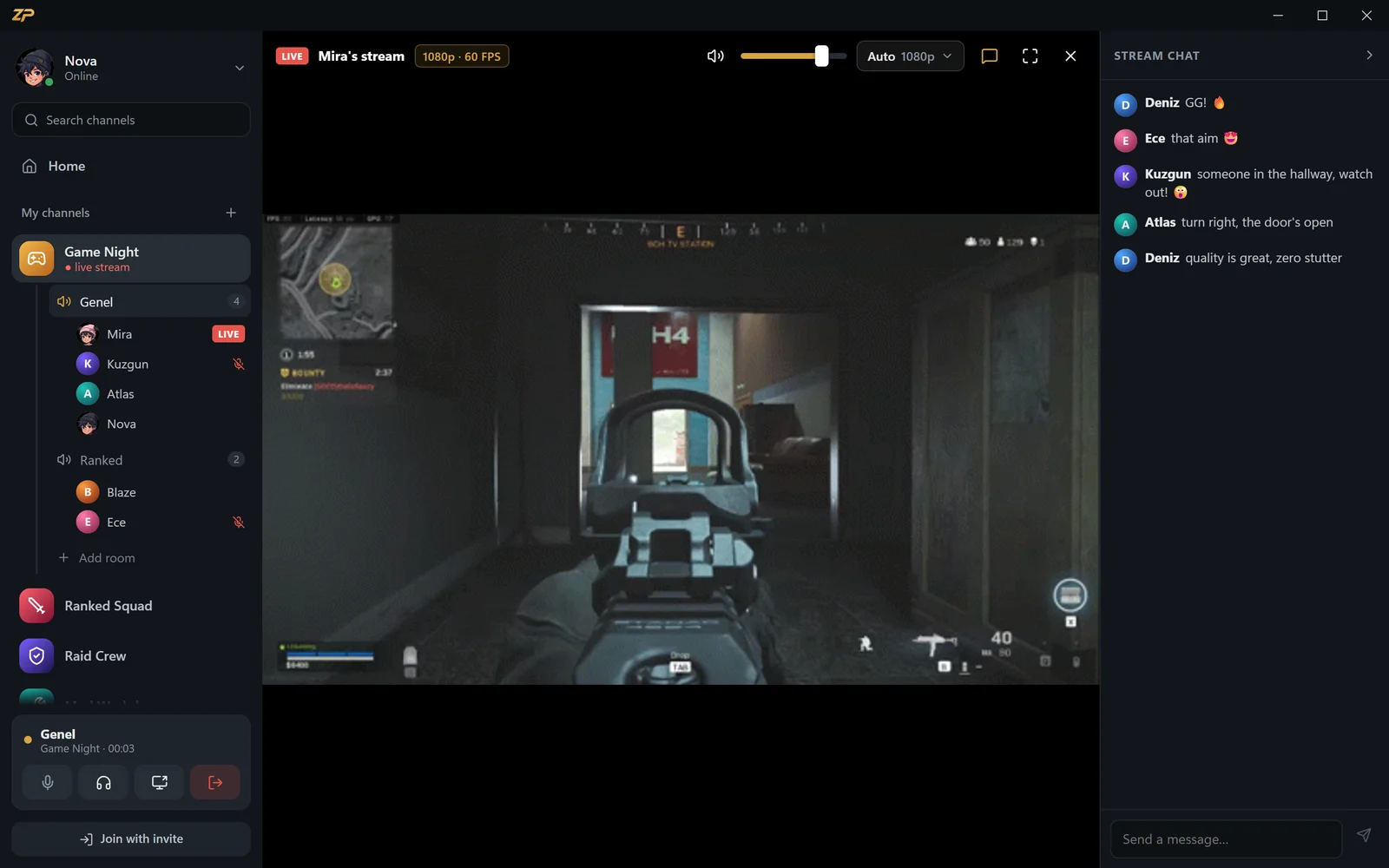
Discord's free plan caps screen sharing at 720p 30 FPS; 1080p 60 FPS needs Nitro. On Zpod you stream your screen or game at up to 1080p 60 FPS, with game audio, for free.
Zpod has no paid tier or subscription. Every feature, stream quality included, is free with a zibidigames.com account.
- Stream quality from 480p up to 1080p 60 FPS
- Game audio and mic go into the stream
- Every viewer picks the quality that fits their connection
- Recommended quality based on your upload speed

What Discord doesn't have
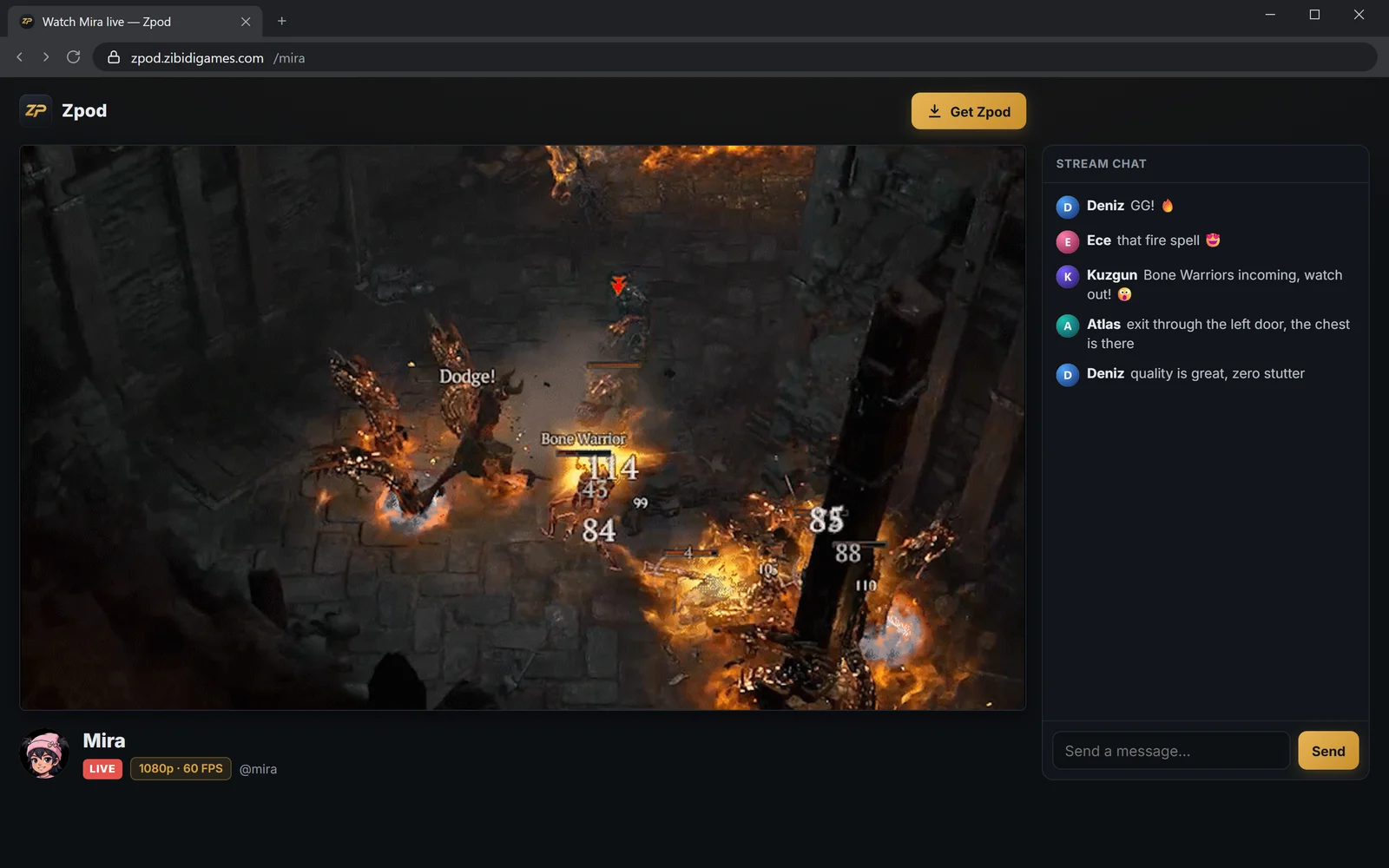
Make your stream public with a link: anyone who opens zpod.zibidigames.com/yourname watches in the browser without an account. Send the same stream to your own YouTube channel in one click, no OBS required.
Double-click someone in a voice room to whisper so only they hear you. The in-game overlay shows who's talking in a corner of your game and injects nothing into it.
- Watch via link in the browser, no account
- Live on YouTube at the same time, no OBS
- Voice and text whispers in voice rooms
- No VPN needed: you connect straight to Zpod's servers
Zpod vs Discord vs Twitch
The differences gamers ask about most, in one table.
 Zpod Zpod |
Discord (free) | Twitch | |
|---|---|---|---|
| Voice rooms and channels | ✓ | ✓ | ✗ |
| 1080p 60 FPS screen & game streaming | Free | Needs Nitro | With streaming software |
| Watch via link in the browser, no account | ✓ | ✗ | ✓ |
| Voice chat and streaming in one app | ✓ | ✓ | ✗ |
| Whisper to one person in a voice room | ✓ | ✗ | ✗ |
| Paid subscription | None | Nitro (optional) | Turbo, channel subs (optional) |
Discord and Twitch details refer to free accounts as of September 2026. Discord and Twitch are trademarks of their respective owners; Zpod is not affiliated with them.
Switch from Discord to Zpod in 3 steps
Create a free account
Join zibidigames.com or sign in with Steam in one click.
Start your channel
Create a channel with the + on the left and share the invite code with friends.
Join a voice room
Click a room and start talking; share your screen if you like.
Discord alternative FAQ
Is Zpod really free?
Yes. There's no paid tier, subscription or ads; every feature, 1080p 60 FPS streaming included, is free.
Discord won't open — can I use Zpod?
Yes. You connect to Zpod directly, without a VPN. Download the Windows app or open it in your browser without installing.
Can I move my Discord server to Zpod?
There's no automatic import. You set up a new channel on Zpod in seconds, invite friends with a code and open as many voice rooms as you like.
Do my friends need Zpod too?
To talk together, everyone needs to be on Zpod — the Windows app or the browser both work. People who only want to watch your stream just need the link; no account or install.
Which devices does Zpod run on?
There's an app for Windows 10 and 11. On macOS, Linux, phones and tablets, use Zpod in the browser at zpod.zibidigames.com/app.
More Zpod features

Ready for game night?
Zpod is free. Download it or open it in your browser now — your friends are one invite code away.
No account yet? Sign up