Free Discord & Twitch alternativeTalk with friends,
play, go live.
Zpod is a free voice chat, screen sharing and game streaming app — a Discord and Twitch alternative. Voice rooms, channels and 1080p 60 FPS streams in one app; sign in with your zibidigames.com or Steam account in one click.
Not on Windows? Open Zpod in your browser — nothing to install.
- 1080p 60 FPS, no Nitro
- No VPN needed
- Viewers install nothing
- No ads, no subscription
- One-click YouTube streaming
Windows 10/11 · also works in the browser
Three things that set Zpod apart
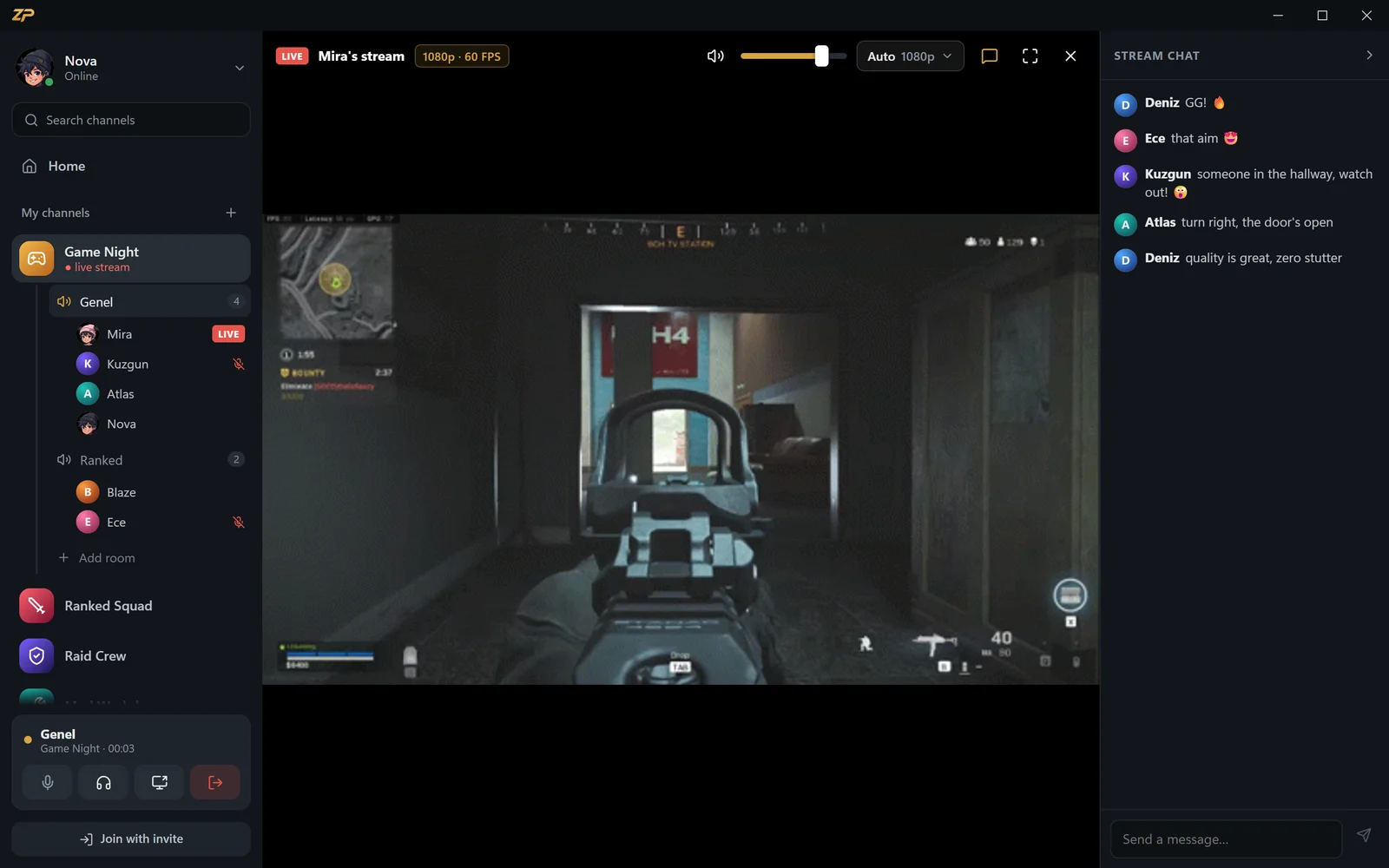
1080p 60 FPS without Nitro
On Discord, streaming in 1080p 60 FPS needs Nitro. On Zpod you stream your screen or game at up to 1080p 60 FPS, with game audio, for free.
Nothing to install to watch
Share your stream link: anyone who opens zpod.zibidigames.com/yourname watches in the browser without an account, with the stream chat right on the page.
No VPN needed
You connect straight to Zpod's servers — no VPN, no port forwarding, no extra setup. Windows app or browser, same account.
Low-latency voice chat with your gaming friends
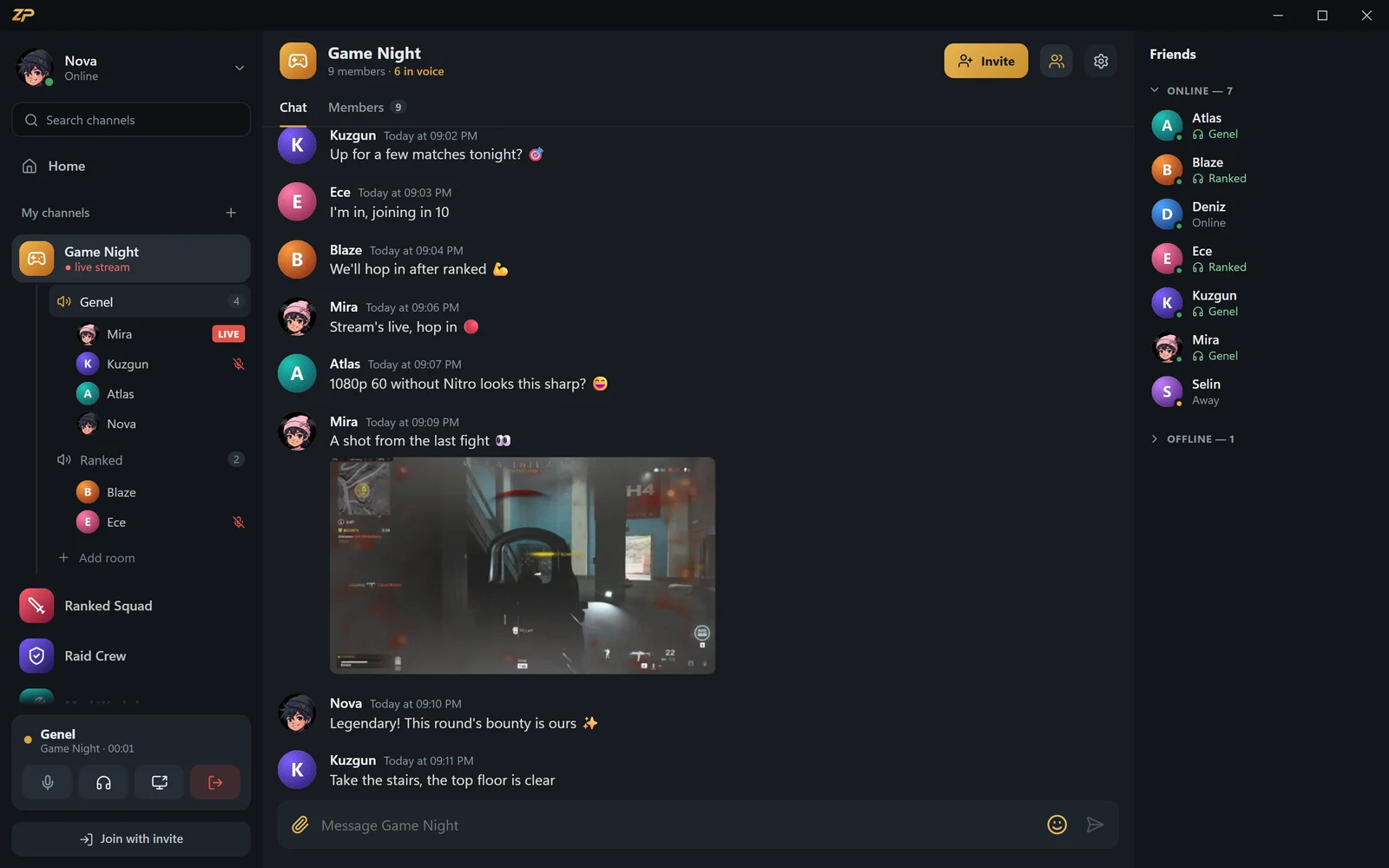
Start your own channel, open as many voice rooms as you like and invite friends with a code. Talking mid-match is one key away.
- Voice activity or push to talk — you pick the key, mouse side buttons work too
- Noise and echo suppression — strong mode runs RNNoise on your device
- Double-click someone in the room to whisper only to them
- Someone too loud? Turn them down or mute them just for you
Stream your game at up to 1080p 60 FPS
Join a voice room, pick your screen or a single game window and go live. Everyone in the room clicks the LIVE badge next to your name to watch.
- Quality options from 480p up to 1080p 60 FPS
- Add game audio and your mic to the stream
- Every viewer picks the quality that fits their connection
- No Nitro, no subscription, no separate streaming software
- Go live on YouTube too, in one click

Like Twitch: anyone with the link watches in the browser
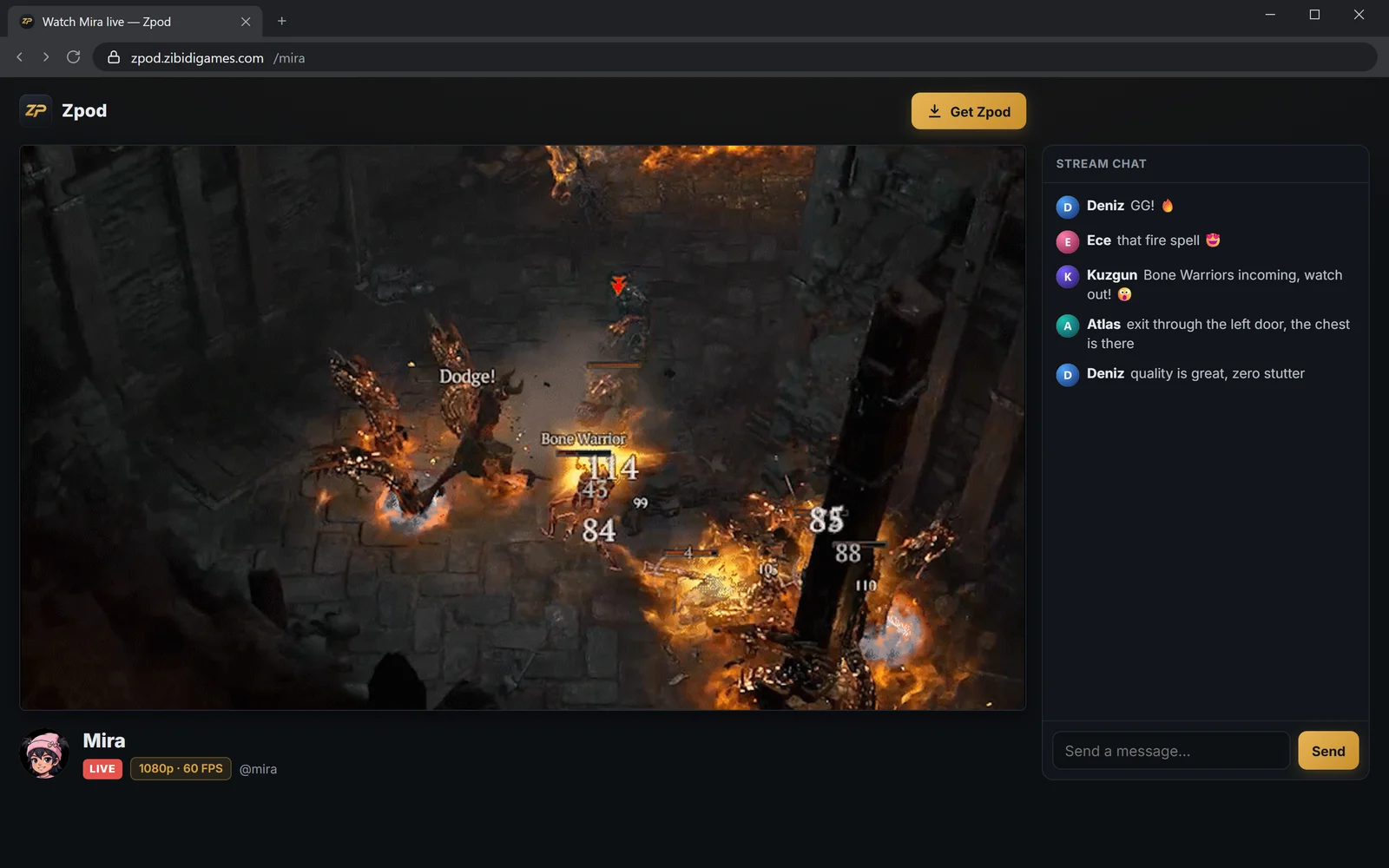
Turn on “Public with link” and your stream goes live at zpod.zibidigames.com/yourname. Viewers don't need to install Zpod or create an account.
- Opens in any browser — computer, phone or tablet
- Stream chat on the same page
- Share the link on WhatsApp, Discord or X with a preview image
- No ads, no sign-up required
Go live on YouTube in one click
Paste your stream key once, then tick “Also send to YouTube” when you go live. The same stream goes live on Zpod and on your own YouTube channel at the same time — no OBS, no extra software.
- No OBS or extra software needed
- One upload from your PC: our server relays it to YouTube
- Video isn't re-encoded; game audio and mic go along
- Your key stays encrypted on your PC, never stored on our server
Paste your key once
Add the stream key from YouTube Studio in Settings > Streaming. You won't be asked again.
Tick “Also send to YouTube”
One checkbox when you start the stream; Zpod handles the rest.
Live in two places at once
Friends watch on Zpod, followers on YouTube. The app shows the status of the YouTube connection.
In the Windows app. You set the stream's title, description and thumbnail in YouTube Studio.
Fine-tuned for gamers
Features that stay out of your way mid-match and are right there when you need them.
Whisper
Double-click someone in the room; only they hear you. Text whispers aren't stored on the server.
Push to talk
Pick any key, mouse side buttons included. Works while your game is full screen.
Soundboard
Bind sounds to shortcuts; press one and everyone in the room hears it.
Noise suppression
Cuts keyboard and fan noise; strong mode runs RNNoise on your device.
Per-person volume
Turn someone up, down or mute them — just for you.
Channels and invites
Gather friends with an invite code; add emoji, images, GIFs and files to messages.
Friends and presence
Who's online and in which room, at a glance. Appear offline whenever you like.
Ready in the background
Closing it keeps Zpod in the tray; you choose which notifications you get.
Sign in with Steam
Sign in with your zibidigames.com or Steam account in one click.
Zpod vs Discord vs Twitch
The differences gamers ask about most, in one table.
 Zpod Zpod |
Discord (free) | Twitch | |
|---|---|---|---|
| Voice rooms and channels | ✓ | ✓ | ✗ |
| 1080p 60 FPS screen & game streaming | Free | Needs Nitro | With streaming software |
| Watch via link in the browser, no account | ✓ | ✗ | ✓ |
| Voice chat and streaming in one app | ✓ | ✓ | ✗ |
| Whisper to one person in a voice room | ✓ | ✗ | ✗ |
| Paid subscription | None | Nitro (optional) | Turbo, channel subs (optional) |
Discord and Twitch details refer to free accounts as of September 2026. Discord and Twitch are trademarks of their respective owners; Zpod is not affiliated with them.
A Discord and Twitch alternative in one app
Zpod is a voice chat app for talking with friends while you play, and a screen share app at the same time: share your game or a single window from 480p up to 1080p 60 FPS, with game audio. Set up channels and voice rooms like on Discord, and talk with push-to-talk or an always-on mic.
Nobody has to install anything to watch. Share your stream link (zpod.zibidigames.com/yourname) and anyone who opens it watches the live stream in the browser, picks the quality that fits their connection and joins the stream chat. As a Twitch alternative there is no sign-up, subscription or ads; it is completely free for zibidigames.com members.
Start with Zpod in three steps
Create a free account
Join zibidigames.com or sign in with Steam.
Get Zpod
Or open it in your browser without installing.
Connect in one click
Approve with your site session; no password asked.
What you can do with Zpod
A closer look at each feature, with step-by-step setup and FAQs.
Discord alternative
Channels, voice rooms and 1080p streaming without Nitro — free.
Learn more →Voice chat
Voice rooms, push to talk, RNNoise noise suppression and whispers.
Learn more →Screen sharing
Share your screen or game with audio at 1080p 60 FPS.
Learn more →Stream to YouTube
Go live on YouTube in one click, no OBS.
Learn more →Frequently asked questions about Zpod
What is Zpod?
Zpod is a free voice chat, screen sharing and game streaming app for Zibidi Games players. Create channels, talk in voice rooms and stream your game live to friends.
How is it different from Discord and Twitch?
Discord-style voice rooms and channels plus Twitch-style public live streams with a link, in one app. Streaming in 1080p 60 FPS is free without Nitro, you can whisper to one person in a voice room, and nobody needs to install anything to watch — anyone with the link watches in the browser.
Is it free?
Yes. Zpod has no paid tier or subscription; every feature, 1080p 60 FPS streaming included, is free. Download the Windows app or use it in the browser without installing.
Discord won't open — can I use Zpod?
Yes. You connect to Zpod directly, without a VPN. Download the Windows app or use Zpod in the browser without installing.
How do I watch a stream?
If the streamer turns on “Public with link”, the stream plays at zpod.zibidigames.com/username in any browser without signing in. In the app, just click the LIVE badge in the voice room.
What quality are screen sharing and streams?
Share your whole screen or a single window (your game) from 480p up to 1080p 60 FPS, with game audio. Every viewer picks the quality that fits their connection.
Can I stream to YouTube from Zpod?
Yes, in one click. Paste your YouTube stream key once in Settings > Streaming, then tick “Also send to YouTube” when you go live. Your stream goes live on Zpod and on your own YouTube channel at the same time. No OBS or extra software, and no second upload from your PC: Zpod's server relays the stream to YouTube. Your key is stored encrypted only on your PC. This works in the Windows app.
Which devices does Zpod run on?
There's an app for Windows 10 and 11. On macOS, Linux, phones and tablets, use Zpod in the browser at zpod.zibidigames.com/app.
Windows shows a warning when I download it — is it safe?
Zpod is a new app, so Windows can show “Windows protected your PC” for apps that haven't been downloaded many times yet. Download the installer only from zibidigames.com; on the warning, choose “More info” → “Run anyway”. Or skip installing and use Zpod in the browser.
I don't have an account — how do I sign in?
Join zibidigames.com for free or sign in with your Steam account in one click. If you come with Steam, your account is created with your Steam name.

Ready for game night?
Zpod is free. Download it or open it in your browser now — your friends are one invite code away.
No account yet? Sign up